Value dictionaries
Under AI → Semantic Layer → Value Dictionaries, link multiple surface forms to one canonical value. Existing dictionaries are paginated in groups of 100, so save the current changes before changing pages.
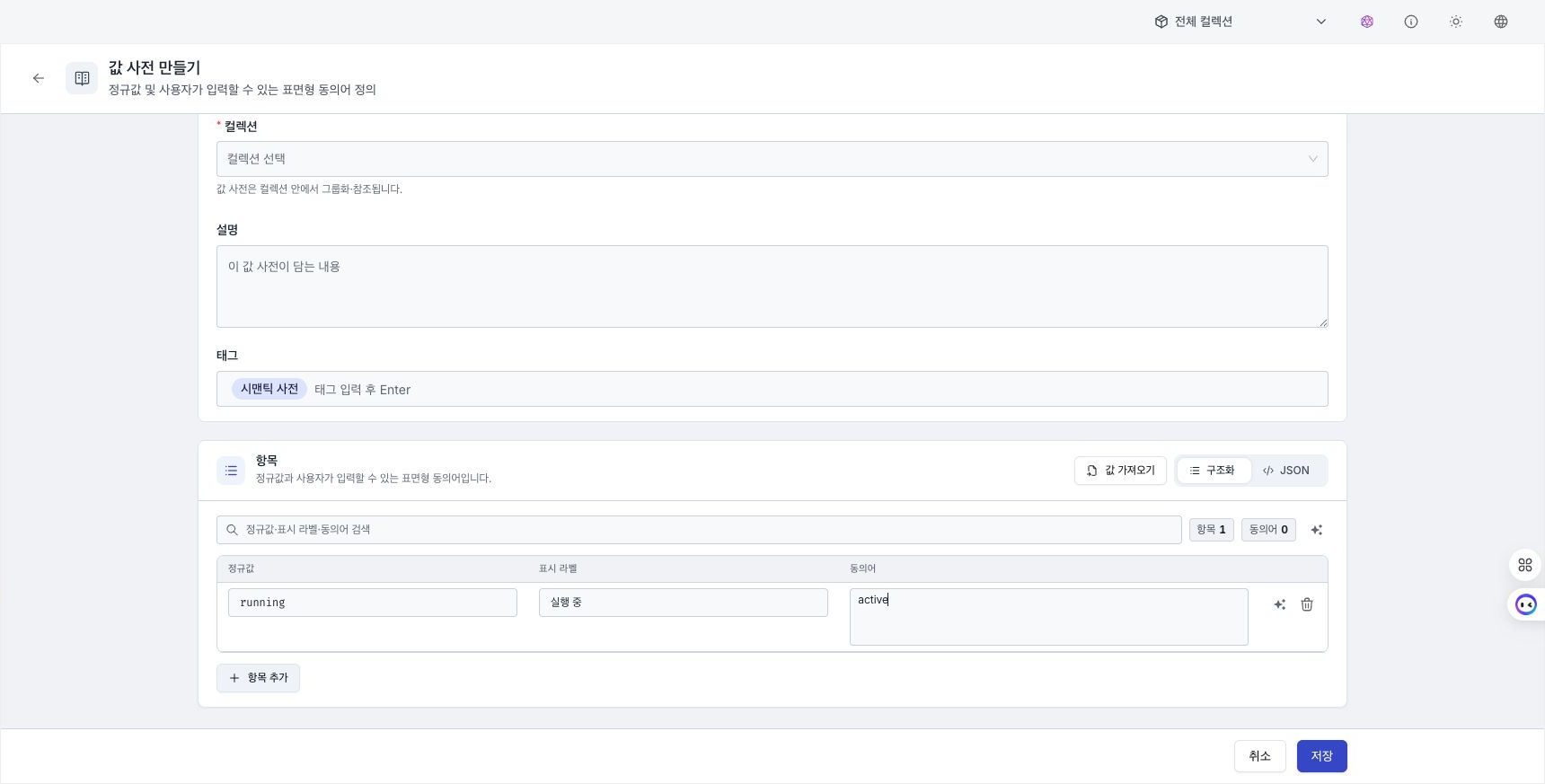
Edit entries and understand the save boundary
- Enter the canonical
nameand displaylabel, then add synonyms. - Check the last saved date under Modified for each row. Hover to see both created and modified times.
- A canonical name must be unique within the dictionary. A duplicate prevents saving.
- If different canonical values share a synonym, an ambiguity warning appears. Unlike a duplicate canonical-name error, this warning does not prevent saving.
- Switch between the structured grid and JSON mode. JSON items use the
name,label, andsynonymsstructure.
Existing entries are loaded 100 at a time. While there are unsaved changes, you cannot search, change pages, or save the resource name or description. Select Save current page first.
Select multiple rows on the current page and then select Delete N selected to remove them from the draft. Select Save current page to commit the deletion.
Capture: Entry checkboxes, Delete N selected, the Modified column, and Import values and Export values on the same screen.
Preview value linking
Enter a surface form in the preview to see matching canonical-value candidates. The result shows string linking in the dictionary; it does not reproduce the value an LLM will choose during an actual run. A newly saved or indexed value can take time to appear.
Generate synonyms with AI
Select Generate synonyms with AI for an entry. You can also select multiple entries without synonyms and generate them in bulk. Review duplicates and ambiguous surface forms before saving the result.
Import raw values
Analyze a CSV, TSV, TXT, or JSON file, or pasted values, to create a dictionary draft.
- One file can be up to 50 MB.
- A single-value list, canonical-value and label pairs, or an already classified structure is detected automatically.
- A CSV exported with Export values, containing
name,label, andsynonyms, can be imported again. - A high-cardinality warning appears when there are more than 500 unique canonical values.
- AI category classification uses a sample of up to 200 canonical values.
Apply values to an existing dictionary
| Method | Result |
|---|---|
| Add | Keep existing entries and add imported entries. For a matching canonical value, select Merge synonyms / Skip. |
| Replace | Delete all existing entries and replace them with the imported entries. |
For an existing server-paginated dictionary, the preview may compare against the current page, but duplicate policy and Replace apply to the entire dictionary.
Back up and restore values with CSV
Select Export values from a list row to save all dictionary entries, not only the current page. The first row contains name, label, and synonyms; synonyms are stored as a JSON array string.
Import the CSV into the same dictionary and select Replace to restore all entries from that file. First review the entry count and duplicate warnings in the preview.
This does not replace only the 100 entries currently displayed. Continue only after confirming that all existing entries can be discarded.
This procedure edits raw values inside a value dictionary. To move the complete value-dictionary asset as JSON, use Import and export.